WhatsApp Share Widget Generator
Paste any URL and we'll build a ready-to-embed share widget with a rich link preview. Copy the HTML for your website or an email-safe version for your newsletters.
Preview
 Share on WhatsApp
Generated Code
<div style="display: flex; align-items: start; justify-content: center; padding: 20px 1rem;">
    <div style="max-width: 28rem; width: 100%; display: flex; flex-direction: column; align-items: center;">
        <div style="width: 100%; display: flex; justify-content: center; margin-bottom: 2rem;">
            <a href="https://api.whatsapp.com/send?text=%F0%9F%8C%B3%20I%20just%20signed%20this%20petition%20to%20protect%20our%20forests!%20%F0%9F%8C%BF%0A%0AOur%20forests%20are%20the%20lungs%20of%20our%20planet%2C%20home%20to%20countless%20species%2C%20and%20vital%20for%20our%20survival.%20Every%20signature%20counts%20in%20making%20a%20real%20difference!%20%F0%9F%8C%8D%0A%0AJoin%20me%20in%20taking%20action!%20%E2%9C%8A%0A%0A%0Ahttps%3A%2F%2Factionnetwork.org%2Fforms%2Fsave-the-trees%3Fsource%3Dwhatsapp-share%26utm_source%3Dwhatsapp-share%26utm_medium%3Dsocial" target="_blank" onclick="" style="all: unset !important; width: 80% !important; height: auto !important; background-color: #25D366 !important; color: white !important; font-family: -apple-system, BlinkMacSystemFont, 'Segoe UI', Roboto, Helvetica, Arial, sans-serif !important; font-weight: 600 !important; padding: 0.25rem 0 !important; border-radius: 50px !important; border: none !important; cursor: pointer !important; display: flex !important; align-items: center !important; justify-content: center !important; gap: 0.5rem !important; transition: all 0.2s !important; position: relative !important; text-decoration: none !important; min-height: 48px !important;">
            <img src="/assets/whatsapp-logo.png" alt="WhatsApp" style="width: 20px !important; height: 20px !important; margin-right: 0.5rem !important;">
            Share on WhatsApp
        </a>
        </div>
        <div style="position: relative; margin-left: 0.5rem; margin-bottom: 1rem; width: 100%;">
            <div style="background-color: white; border-radius: 0.5rem; box-shadow: 0 10px 30px rgba(0, 0, 0, 0.31); overflow: hidden; position: relative; margin-left: 0.5rem;">
                <div style="padding: 0.75rem;">
                    <p style="color: #111b21 !important; font-size: 14.2px !important; line-height: 19px !important; font-family: -apple-system, BlinkMacSystemFont, 'Segoe UI', Roboto, Helvetica, Arial, sans-serif !important; font-weight: normal !important; margin: 0 !important; letter-spacing: 0px !important; white-space: pre-line; border: none;">🌳 I just signed this petition to protect our forests! 🌿

Our forests are the lungs of our planet, home to countless species, and vital for our survival. Every signature counts in making a real difference! 🌍

Join me in taking action! ✊</p>
                </div>
                <a href="https://api.whatsapp.com/send?text=%F0%9F%8C%B3%20I%20just%20signed%20this%20petition%20to%20protect%20our%20forests!%20%F0%9F%8C%BF%0A%0AOur%20forests%20are%20the%20lungs%20of%20our%20planet%2C%20home%20to%20countless%20species%2C%20and%20vital%20for%20our%20survival.%20Every%20signature%20counts%20in%20making%20a%20real%20difference!%20%F0%9F%8C%8D%0A%0AJoin%20me%20in%20taking%20action!%20%E2%9C%8A%0A%0A%0Ahttps%3A%2F%2Factionnetwork.org%2Fforms%2Fsave-the-trees%3Fsource%3Dwhatsapp-share%26utm_source%3Dwhatsapp-share%26utm_medium%3Dsocial" target="_blank" onclick="" style="text-decoration: none; color: inherit;">
                    <div style="border-top: 1px solid rgba(0, 0, 0, 0.0625); margin: 5px; border-radius: 0.5rem; overflow: hidden; background-color: #f4f5f6; cursor: pointer; transition: background-color 0.2s;">
                        <div style="width: 100%; height: 0; padding-bottom: 52.36%; position: relative; overflow: hidden;">
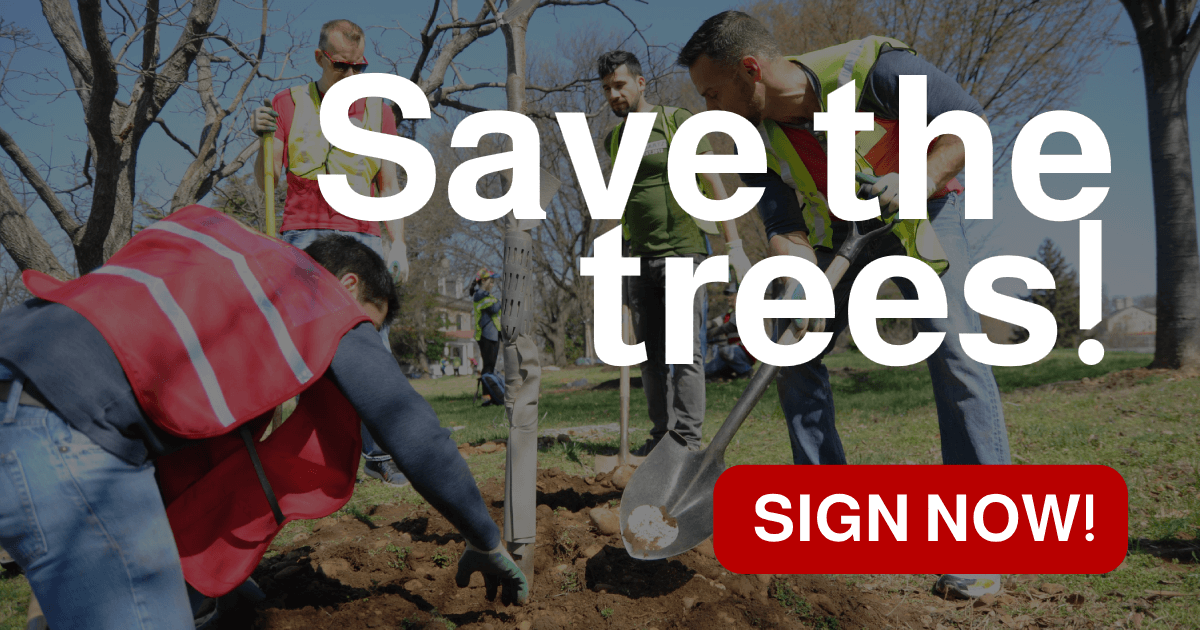
                            <img src="https://can2-prod.s3.amazonaws.com/share_options/facebook_images/000/517/998/original/save-the-trees.png" alt="Preview" style="position: absolute; top: 0; left: 0; width: 100%; height: 100%; object-fit: cover; border-radius: 0.5rem 0.5rem 0 0; display: block; margin: 0; padding: 0; border: none;" onerror="this.style.display='none'; this.parentElement.style.paddingBottom='0'; this.parentElement.style.height='auto';">
                        </div>
                        <div style="padding: 0.75rem; background-color: #f4f5f6;">
                            <h3 style="all: unset; display: block; font-size: 14.2px !important; line-height: 19px !important; color: #111b21 !important; font-weight: normal !important; font-family: -apple-system, BlinkMacSystemFont, 'Segoe UI', Roboto, Helvetica, Arial, sans-serif !important; margin: 0 0 0.125rem 0 !important; letter-spacing: 0px !important; padding: 0; border: none;">Sign now to save our forests!</h3>
                            <p style="font-size: 12.5px !important; line-height: 19px !important; color: #4b5563 !important; font-family: -apple-system, BlinkMacSystemFont, 'Segoe UI', Roboto, Helvetica, Arial, sans-serif !important; font-weight: normal !important; margin: 0 !important; letter-spacing: 0px !important; padding: 0; border: none;">actionnetwork.org</p>
                        </div>
                    </div>
                </a>
                <div style="position: absolute; left: -0.5rem; top: 0; width: 1rem; height: 1rem; overflow: hidden;">
                    <div style="position: absolute; width: 1rem; height: 1rem; background-color: white; transform: rotate(45deg); transform-origin: bottom right;"></div>
                </div>
            </div>
        </div>
        <div style="width: 100%; display: flex; justify-content: center; margin-top: 2rem; margin-bottom: 20px;">
            <a href="https://api.whatsapp.com/send?text=%F0%9F%8C%B3%20I%20just%20signed%20this%20petition%20to%20protect%20our%20forests!%20%F0%9F%8C%BF%0A%0AOur%20forests%20are%20the%20lungs%20of%20our%20planet%2C%20home%20to%20countless%20species%2C%20and%20vital%20for%20our%20survival.%20Every%20signature%20counts%20in%20making%20a%20real%20difference!%20%F0%9F%8C%8D%0A%0AJoin%20me%20in%20taking%20action!%20%E2%9C%8A%0A%0A%0Ahttps%3A%2F%2Factionnetwork.org%2Fforms%2Fsave-the-trees%3Fsource%3Dwhatsapp-share%26utm_source%3Dwhatsapp-share%26utm_medium%3Dsocial" target="_blank" onclick="" style="all: unset !important; width: 80% !important; height: auto !important; background-color: #25D366 !important; color: white !important; font-family: -apple-system, BlinkMacSystemFont, 'Segoe UI', Roboto, Helvetica, Arial, sans-serif !important; font-weight: 600 !important; padding: 0.25rem 0 !important; border-radius: 50px !important; border: none !important; cursor: pointer !important; display: flex !important; align-items: center !important; justify-content: center !important; gap: 0.5rem !important; transition: all 0.2s !important; position: relative !important; text-decoration: none !important; min-height: 48px !important;">
            <img src="/assets/whatsapp-logo.png" alt="WhatsApp" style="width: 20px !important; height: 20px !important; margin-right: 0.5rem !important;">
            Share on WhatsApp
        </a>
        </div>
    </div>
</div>Generated HTML Code for Email
<table cellpadding="0" cellspacing="0" border="0" style="width: 100%; max-width: 450px; margin: 0 auto;">
    <tr>
        <td align="center" style="padding: 0 0 19px 0;">
            <table cellpadding="0" cellspacing="0" border="0" style="margin: 0 auto;">
            <tr>
                <td bgcolor="#25D366" style="padding: 11px 22px; text-align: center; border-radius: 50px;">
                    <a href="https://api.whatsapp.com/send?text=%F0%9F%8C%B3%20I%20just%20signed%20this%20petition%20to%20protect%20our%20forests!%20%F0%9F%8C%BF%0A%0AOur%20forests%20are%20the%20lungs%20of%20our%20planet%2C%20home%20to%20countless%20species%2C%20and%20vital%20for%20our%20survival.%20Every%20signature%20counts%20in%20making%20a%20real%20difference!%20%F0%9F%8C%8D%0A%0AJoin%20me%20in%20taking%20action!%20%E2%9C%8A%0A%0A%0Ahttps%3A%2F%2Factionnetwork.org%2Fforms%2Fsave-the-trees%3Fsource%3Dwhatsapp-share-email%26utm_source%3Dwhatsapp-share-email%26utm_medium%3Dsocial" target="_blank" style="color: #ffffff !important; font-family: Arial, sans-serif !important; font-size: 14px !important; font-weight: bold !important; text-decoration: none !important; display: inline-block;">
                        <img src="/assets/whatsapp-logo.png" alt="WhatsApp" width="16" height="16" style="vertical-align: middle !important; margin-right: 8px !important;" border="0"><span style="vertical-align: middle;">Share on WhatsApp</span>
                    </a>
                </td>
            </tr>
        </table>
        </td>
    </tr>
    <tr>
        <td style="padding: 0;">
            <table cellpadding="0" cellspacing="0" border="0" style="width: 100%; background-color: #ffffff; border: 1px solid #e5e7eb; border-radius: 8px; overflow: hidden;">
                <tr>
                    <td style="padding: 0;">
                        <a href="https://api.whatsapp.com/send?text=%F0%9F%8C%B3%20I%20just%20signed%20this%20petition%20to%20protect%20our%20forests!%20%F0%9F%8C%BF%0A%0AOur%20forests%20are%20the%20lungs%20of%20our%20planet%2C%20home%20to%20countless%20species%2C%20and%20vital%20for%20our%20survival.%20Every%20signature%20counts%20in%20making%20a%20real%20difference!%20%F0%9F%8C%8D%0A%0AJoin%20me%20in%20taking%20action!%20%E2%9C%8A%0A%0A%0Ahttps%3A%2F%2Factionnetwork.org%2Fforms%2Fsave-the-trees%3Fsource%3Dwhatsapp-share-email%26utm_source%3Dwhatsapp-share-email%26utm_medium%3Dsocial" target="_blank" style="display: block; text-decoration: none; color: inherit;">
                            <table cellpadding="0" cellspacing="0" border="0" style="width: 100%;">
                                <tr>
                <td style="padding: 0;">
                    <a href="https://api.whatsapp.com/send?text=%F0%9F%8C%B3%20I%20just%20signed%20this%20petition%20to%20protect%20our%20forests!%20%F0%9F%8C%BF%0A%0AOur%20forests%20are%20the%20lungs%20of%20our%20planet%2C%20home%20to%20countless%20species%2C%20and%20vital%20for%20our%20survival.%20Every%20signature%20counts%20in%20making%20a%20real%20difference!%20%F0%9F%8C%8D%0A%0AJoin%20me%20in%20taking%20action!%20%E2%9C%8A%0A%0A%0Ahttps%3A%2F%2Factionnetwork.org%2Fforms%2Fsave-the-trees%3Fsource%3Dwhatsapp-share-email%26utm_source%3Dwhatsapp-share-email%26utm_medium%3Dsocial" target="_blank" style="display: block; text-decoration: none;">
                        <img src="https://can2-prod.s3.amazonaws.com/share_options/facebook_images/000/517/998/original/save-the-trees.png" alt="Sign now to save our forests!" style="width: 100%; height: auto; max-height: 200px; object-fit: cover; display: block; border: 0; border-radius: 8px 8px 0 0;" border="0">
                    </a>
                </td>
            </tr>
                                <tr>
                                    <td style="padding: 12px; background-color: #f4f5f6; border-radius: 0 0 8px 8px;">
                                        <h3 style="font-family: Arial, Helvetica, sans-serif !important; font-size: 14px !important; line-height: 15px !important; color: #111b21 !important; font-weight: normal !important; margin: 0 0 2px 0 !important; letter-spacing: 0px !important;">Sign now to save our forests!</h3>
                                        <p style="font-family: Arial, Helvetica, sans-serif !important; font-size: 10px !important; line-height: 15px !important; color: #4b5563 !important; font-weight: normal !important; margin: 0 !important; letter-spacing: 0px !important;">actionnetwork.org</p>
                                    </td>
                                </tr>
                            </table>
                        </a>
                    </td>
                </tr>
            </table>
        </td>
    </tr>
    <tr>
        <td align="center" style="padding: 19px 0 0 0;">
            <table cellpadding="0" cellspacing="0" border="0" style="margin: 0 auto;">
            <tr>
                <td bgcolor="#25D366" style="padding: 11px 22px; text-align: center; border-radius: 50px;">
                    <a href="https://api.whatsapp.com/send?text=%F0%9F%8C%B3%20I%20just%20signed%20this%20petition%20to%20protect%20our%20forests!%20%F0%9F%8C%BF%0A%0AOur%20forests%20are%20the%20lungs%20of%20our%20planet%2C%20home%20to%20countless%20species%2C%20and%20vital%20for%20our%20survival.%20Every%20signature%20counts%20in%20making%20a%20real%20difference!%20%F0%9F%8C%8D%0A%0AJoin%20me%20in%20taking%20action!%20%E2%9C%8A%0A%0A%0Ahttps%3A%2F%2Factionnetwork.org%2Fforms%2Fsave-the-trees%3Fsource%3Dwhatsapp-share-email%26utm_source%3Dwhatsapp-share-email%26utm_medium%3Dsocial" target="_blank" style="color: #ffffff !important; font-family: Arial, sans-serif !important; font-size: 14px !important; font-weight: bold !important; text-decoration: none !important; display: inline-block;">
                        <img src="/assets/whatsapp-logo.png" alt="WhatsApp" width="16" height="16" style="vertical-align: middle !important; margin-right: 8px !important;" border="0"><span style="vertical-align: middle;">Share on WhatsApp</span>
                    </a>
                </td>
            </tr>
        </table>
        </td>
    </tr>
</table>About this tool
The widget renders a WhatsApp-style link preview using the metadata we fetch from the URL you provide (Open Graph, Twitter Cards, and standard HTML tags). Click the button in the preview and WhatsApp opens with your message and link ready to share — no extra steps.
Two versions are generated: one for websites (using modern HTML and CSS) and one for email (table-based with inline styles, so it renders correctly in Gmail, Outlook, and other clients).
Frequently Asked Questions
How does the link preview work?
We fetch the URL on our server and parse standard metadata tags (Open Graph, Twitter Cards,
<title>, <meta name="description">). You can override every field manually under “Customize Widget”.What's the difference between the web and email versions?
The web version uses modern HTML/CSS and looks best on websites. The email version uses tables and inline styles for maximum compatibility with email clients like Gmail, Outlook, and Apple Mail.
Can I track clicks on the share button?
Yes. Enable “Analytics Tracking” in the customization panel and we'll append
utm_source, utm_medium, and source parameters to the shared URL so you can attribute traffic in Google Analytics.Does it work in any language?
The widget detects the language of the page you're sharing and sets the button text accordingly, with translations for 40+ languages. You can always override the button text manually.
Can I redirect users after they click share?
Yes, add a “Redirect URL” in the customization panel (website version only). After a short delay, the user will be redirected to that URL once they open WhatsApp to share.
Is the fetched URL stored anywhere?
No. We only read the page's metadata on the fly and return it to your browser. Nothing is saved on our servers.